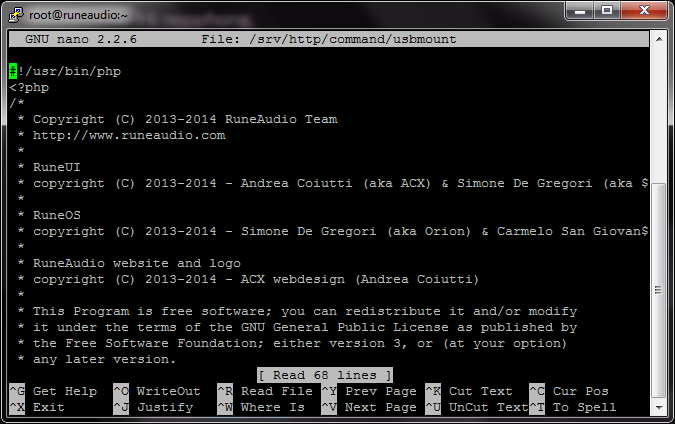
- image.png (52.99 KiB) Viewed 4251 times
@Hondagx35
I try to do this with Putty, but I am oh so green with Linux.
Please can you give me one step by step guide to make this succesfull.

I logged in via ssh with putty: root password rune
Then make code select all with this:
nano /srv/http/command/usbmount
and pasted it in Putty by one click on the right mouse button
Then I did enter and see this: (attachment)
After I really don't what to do anymore abacadabra for me.

I have to change lin 62 but how do I come there?
I think it is very simple and googled a lot but no succes
I would very appreciate to give one step by step guide to do this maybe very simply handling.
Yes also I have an issue that Rune js every time updating when started up
