Back in the day, I learnt and used command line stuff for both CP/M (remember that?) and then DOS. I realise Linux is "where it's at" today, but I'm long retired and want something a little simpler and would like stuff to just work without getting back into fiddling and debugging applications at command line level (or, even worse, at processor code level).
Out of interest, I added the ssh file to the boot area of the SD card so as to activate ssh which is apparently turned off by default and restarted the Pi. Downloaded puTTY and attempted login from my win 10 pc. I used the default log in and password, but access was denied (I haven't changed the login). So no joy.
As for the competition, MoOde, for example, permits adjustment of the Alsa Mixer within its configuration pages (headlessly, via browser - see attachment) Rune, to its discredit, needs command line changes The earlier Rune installation image required config.txt changes to accomodate the various I2S HAT's. MoOde lets you select your DAC or whatever from a drop down list. It seems like Rune is not being updated as it should be to be taken seriously and usable by people who can do some basic stuff like flashing SD cards and configuring the system, accessing NAS drives etc (or not accessing them in several alternatives - Max2Play apparently wanted me to change the entire file structure of my Synology NAS).
Is there a text file or anything else that can be added to the boot instructions to set Alsa Mixer to 100%? Or is Rune really only for those that are Linux afficionados or experts so as to make it work properly? It really is clunky in comparison with some other players.
So "learn some command line and ssh"? Not really going to fly, I'm afraid. Thanks for the response though.
- Attachments
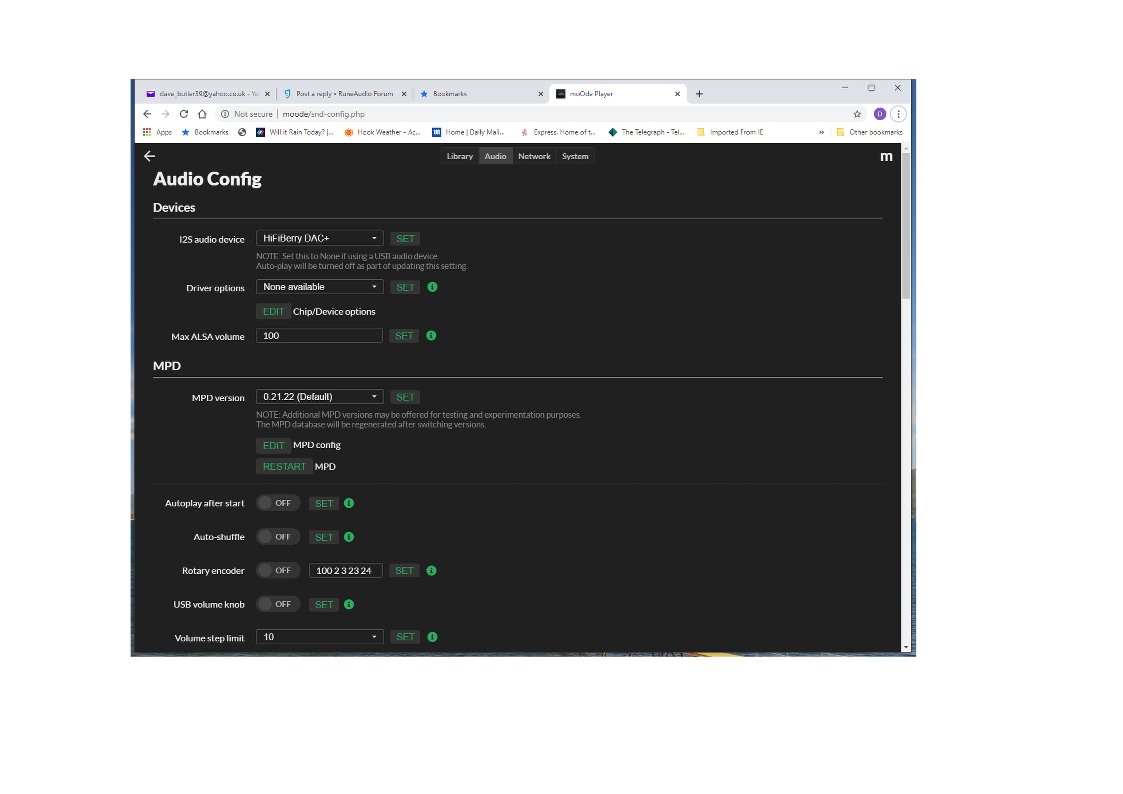
- RoOne ALSA Mixer settings.jpg (74.83 KiB) Viewed 3850 times
