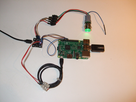
dom_france Hello, I just buy this board here : https://www.audiophonics.fr/fr/accessoires-pour-raspberry-pi-et-autres-sbc/audiophonics-pi-spc-v2-module-de-controle-alimentation-type-atx-pour-raspberry-pi-p-10912.html And I test it : it works ! "Cocorico" : It's a French product !!! VIVE LA FRANCE !!! good product... compact... easy to implement... see my photo :
dom_france Implementation : 1) Connect to the Raspberry Pi with ssh protocol : (password : rune) 2) cd /var/www git pull + Y
dom_france 4) get file sds.sh wget -O /usr/local/bin/sds.sh "https://raw.githubusercontent.com/audiophonics/Raspberry-pwr-management/master/runeaudio.sds.sh"
dom_france 5) chmod +x /usr/local/bin/sds.sh 6) mv /var/www/command/rune_shutdown /var/www/command/rune_shutdown.sav wget -O /var/www/command/rune_shutdown "https://raw.githubusercontent.com/audiophonics/Raspberry-pwr-management/master/runeaudio.rune_shutdown" chmod +x /var/www/command/rune_shutdown
dom_france 7) active the new service on start : cd /usr/lib/systemd/system systemctl daemon-reload systemctl enable sds.service systemctl start sds.service option : You can check if the new service is running with this : systemctl status sds.service
Ripa Hi Dome_France, do you know how a can add the Oled display? what must i do to make this work thanks man