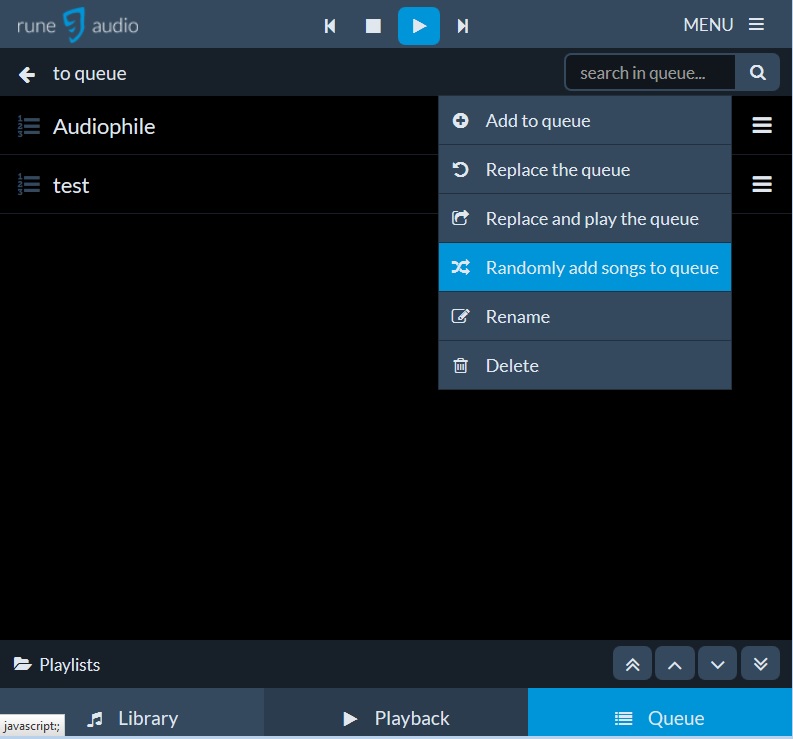
Hi Wolfgang,
Randomly add songs to queue > "Playing radomly from Test1.m3u"> nothing happens
It takes a few seconds until ashuffle starts to play the first song.
If all songs from your playlist are added it loops and starts at the beginning.
If you stop ashuffle and use the same playlist again with "randomly add songs", you will get a different order.
In the second (more interesting) mode, ashuffle will wait until the last song in the queue has finished playing, at which point it will add another song to the queue. In this creates a 'stream of music' where songs will be continuously played, at random, to infinity. Additionally, since ashuffle only adds one song at a time, and only adds that song once the last song in the playlist has finished playing, you still retain control over your queue. This way, you can add some song you want to hear to the queue, and the random songs will simply continue afterwards.
Additionally, ashuffle uses mpd's idle functionality so it won't drain cpu polling to check if the current song has advanced.
Frank