Hi mrcrowley,
Are you sure of set RuneAP 192.168.2.1 ??
Yes, but i think you do not know how the AP and NAT feature works.
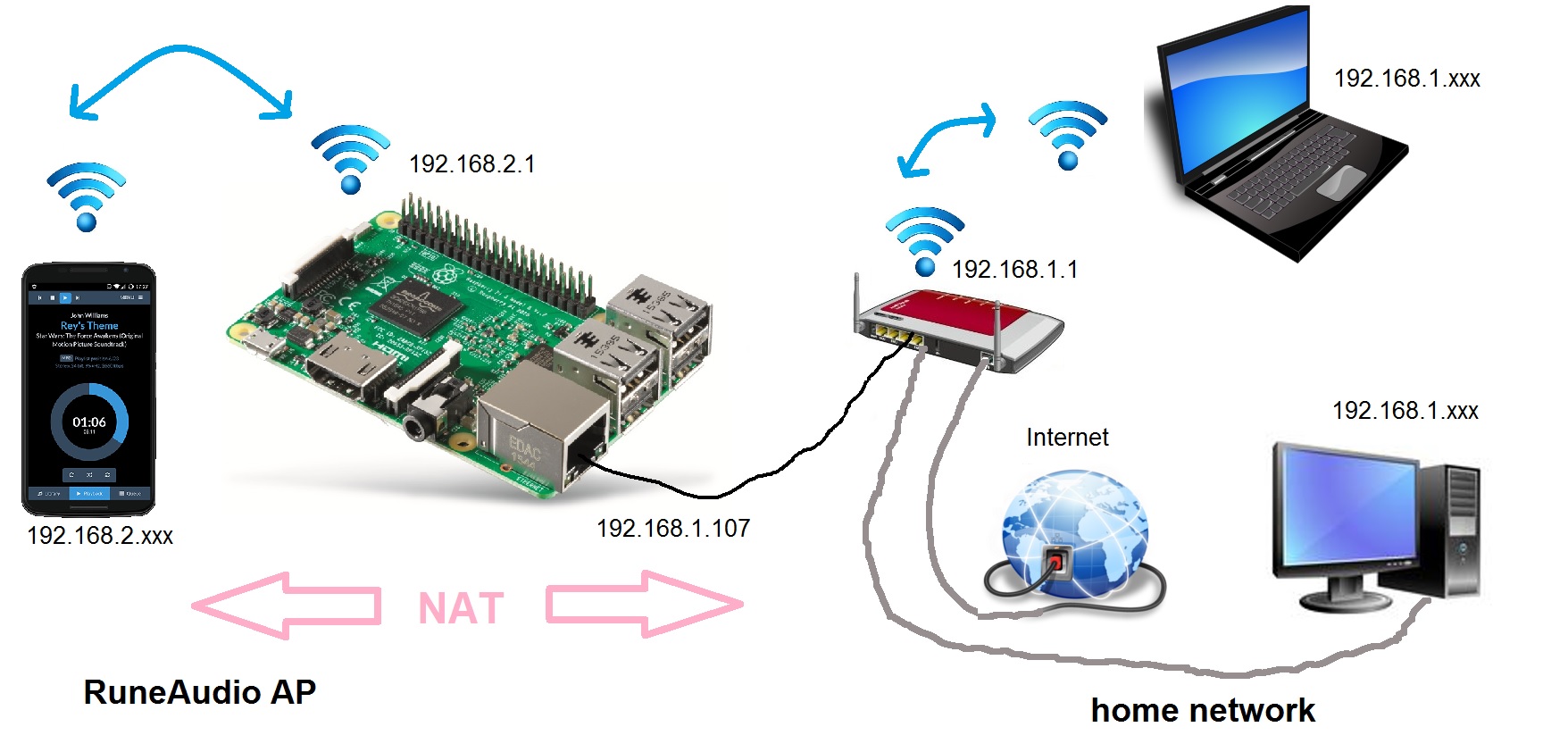
- NAT.jpg (249.34 KiB) Viewed 1961 times
RaspPi on my local network (192.168.1.107)
So your Pi is on the 192.168.1.xxx network.
Your RuneAudioAP has to be on a different network.
Let us use 192.168.2.xxx (it only has to be different from your local network).
Your redis entries have to look like this.
root@runeaudio(rw):~# redis-cli hgetall AccessPoint
1) "enabled"
2) "1"
3) "ip-address"
4) "192.168.2.1"
5) "broadcast"
6) "192.168.2.255"
7) "ssid"
8) "RuneAudioAP"
9) "passphrase"
10) "RuneAudio"
11) "dhcp-range"
12) "192.168.2.2,192.168.2.254,24h"
13) "dhcp-option-dns"
14) "192.168.2.1"
15) "dhcp-option-router"
16) "192.168.2.1"
17) "enable-NAT"
18) "1"
RuneAP IP (whatever you say) should be put into the files dnsmasq.conf and refresh_nics, changing the default you wrote (192.168.1.1) or should I not changed ip into dnsmasq.conf and refresh_nics, and use only redis-cli hset AccessPoint command ???
Only the settings in redis are relevant.
The values in refresh_nics are only there to initialize the database with default values.
The dnsmasq.conf gets overwritten on each boot with the values from redis.
p.s.
What is your goal?
Frank
