Hi Matt,
Are you using a host name or the IP address directly for your mount?
The error message "Could not resolve address" would indicate that you are using a host name. You didn't provide the new assigned IP address, so I'm using the first one in this example to show you how you can mount your storage:
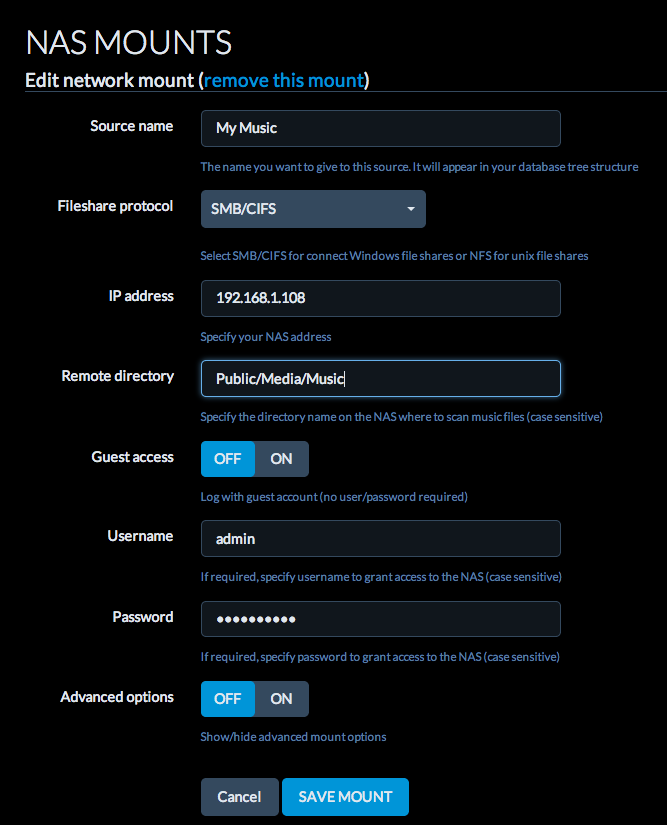
- Screen Shot 2014-09-12 at 09.43.51.png (71.35 KiB) Viewed 4324 times
The "Source Name" is just what you'd like to call your source. I called it "My Music" in this example, but you could use whatever you'd like.
Then I put in the IP address, and the path to your music collection.
If you look further down on that picture, there is a setting called "Guest Access". Set that to "Off" if you have to enter a username/password for your storage. If a username/password is not needed, set it to "On".
There should be no need to play around with the advanced options for now.


