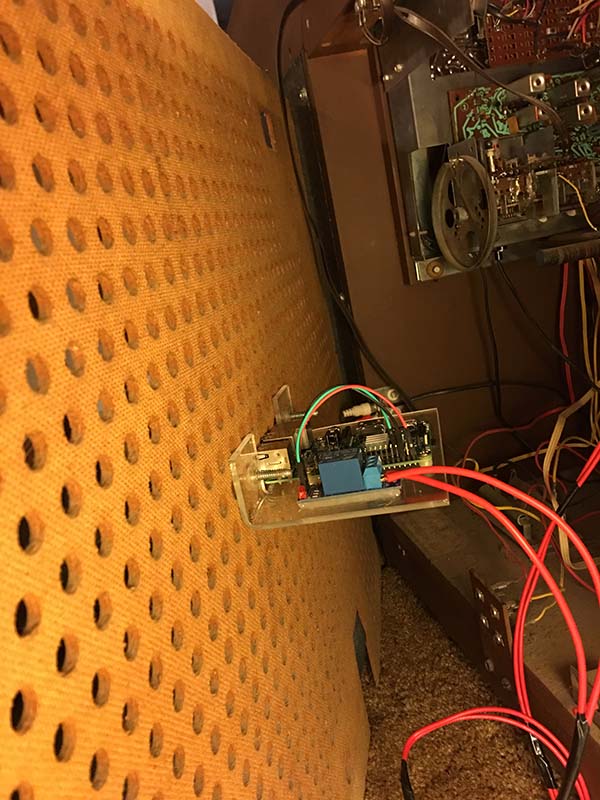
I wrote a simple script "gpio_toggle.sh" to toggle the state of one GPIO connected to a relay that toggle the power to my DAC. This works
however I fill my implementation into the WebUI is sloppy at best. I compaired cyber7 "Volume Fade Over Time" to the unmodified webui.
Would someone give me an example of how to properly execute
sysCmdAsync('sh /var/www/command/XXXXX.sh');
whiten /srv/http/app/templates/header.php
without redirecting or any popups? just a click and execute, no feedback on the current state needed.
Can a function be implemented directly in header.php?
As it is, I added
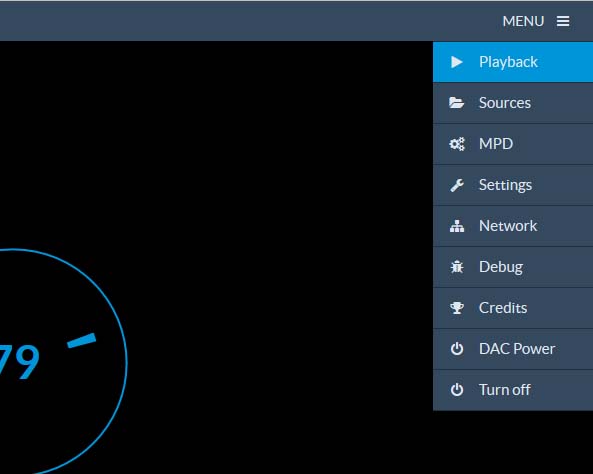
<li class="<?=$this->uri(1, 'dac', 'active')?>"><a href="/dac/"><i class="fa fa-power-off"></i> DAC Power</a></li>
to header.php
I'm calling another dac.php and having that execute and redirect back. this is noticeable on mobile devices, as it's opening a new window.
sloppy, I won't pretend to know php at all.
<div id="menu-top">
<div class="dropdown">
<a id="menu-settings" class="dropdown-toggle" role="button" data-toggle="dropdown" data-target="#" href="#">MENU <i class="fa fa-bars dx"></i></a>
<ul class="dropdown-menu" role="menu" aria-labelledby="menu-settings">
<li class="<?=$this->uri(1, '', 'active')?>"><a href="/"><i class="fa fa-play"></i> Playback</a></li>
<li class="<?=$this->uri(1, 'sources', 'active')?>"><a href="/sources/"><i class="fa fa-folder-open"></i> Sources</a></li>
<li class="<?=$this->uri(1, 'mpd', 'active')?>"><a href="/mpd/"><i class="fa fa-cogs"></i> MPD</a></li>
<li class="<?=$this->uri(1, 'settings', 'active')?>"><a href="/settings/"><i class="fa fa-wrench"></i> Settings</a></li>
<li class="<?=$this->uri(1, 'network', 'active')?>"><a href="/network/"><i class="fa fa-sitemap"></i> Network</a></li>
<li class="<?=$this->uri(1, 'debug', 'active')?>"><a href="/debug/"><i class="fa fa-bug"></i> Debug</a></li>
<li class="<?=$this->uri(1, 'credits', 'active')?>"><a href="/credits/"><i class="fa fa-trophy"></i> Credits</a></li>
<li class="<?=$this->uri(1, 'dac', 'active')?>"><a href="/dac/"><i class="fa fa-power-off"></i> DAC Power</a></li>
<li><a href="#poweroff-modal" data-toggle="modal"><i class="fa fa-power-off"></i> Turn off</a></li>
</ul>
</div>
<div class="playback-controls">
<button id="previous" class="btn btn-default btn-cmd" title="Previous" data-cmd="previous"><i class="fa fa-step-backward"></i></button>
<button id="stop" class="btn btn-default btn-cmd" title="Stop" data-cmd="stop"><i class="fa fa-stop"></i></button>
<button id="play" class="btn btn-default btn-cmd" title="Play/Pause" data-cmd="play"><i class="fa fa-play"></i></button>
<button id="next" class="btn btn-default btn-cmd" title="Next" data-cmd="next"><i class="fa fa-step-forward"></i></button>
</div>
<a class="home" href="/"><img src="<?=$this->asset('/img/logo.png')?>" class="logo" alt="RuneAudio"></a>
</div>
This calls dac.php which includes:
<div class="container credits">
<form action="/dac/" method="post">
<h2><b>Toggeling DAC Power </b><?php
$myscript= sysCmdAsync('sh /var/www/command/gpio_toggle.sh');
?>
</h2></p>
</ul>
</form>
<head>
<meta http-equiv="refresh" content="0;url=/">
</meta>
</head>
- 001.jpg (26.97 KiB) Viewed 3042 times
- 002.jpg (104.81 KiB) Viewed 3042 times
- 003.jpg (129.57 KiB) Viewed 3042 times
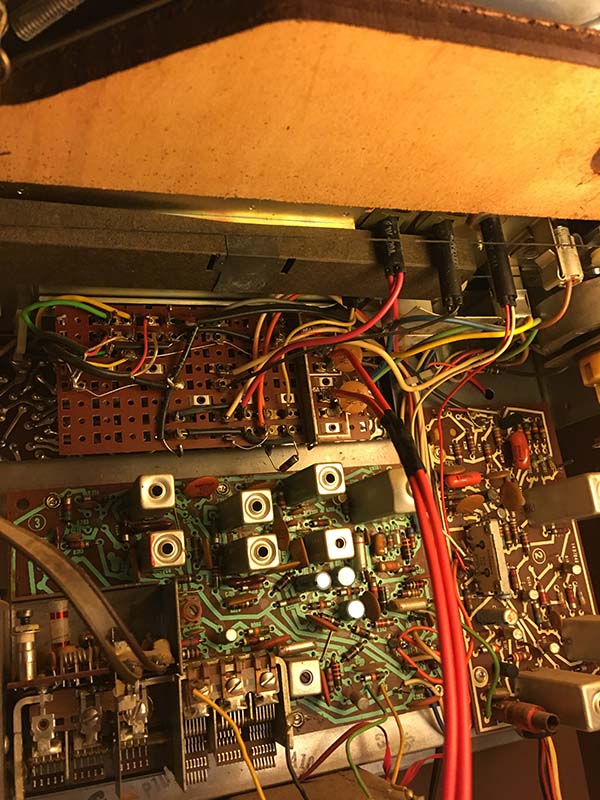
Yes, this is old tech. it was my Grammy's. So many records, so many memories... and now it's brought up to date with AirPlay, webradio, and NAS thanks to all the hard work from the Devs @ RuneAudio, cyber7's example in fade over time

and the creator of RPI's
It's a good time to be alive.

