Hi Grundgütiger,
I than realized that I had downloaded and installed version 0.4. I want to disable the WiFi dongle's sleeping function which could be done by adding a config file to the etc/modprobe.d folder.
Power saving should be disabled by default with the new image.
Please check the MENU->Debug site for this.
###### Network wifi status (iwconfig) ######
lo no wireless extensions.
eth0 no wireless extensions.
wlan0 IEEE 802.11bg ESSID:"NETGEAR" Nickname:""
Mode:Managed Frequency:2.422 GHz Access Point: 00:09:5B:DF:F1:44
Bit Rate:54 Mb/s Sensitivity:0/0
Retry:off RTS thr:off Fragment thr:off
Encryption key:****-****-****-****-****-****-****-**** Security mode:open
Power Management:off
Link Quality=95/100 Signal level=76/100 Noise level=0/100
Rx invalid nwid:0 Rx invalid crypt:0 Rx invalid frag:0
Tx excessive retries:0 Invalid misc:0 Missed beacon:0
Is it not possible any more to get access to the file system of the Raspberry Pi, or is there anything wrong with my set-up?
I'm not a mac guy, but i would use a SFTP program (like
Cyberduck) to access the PI.
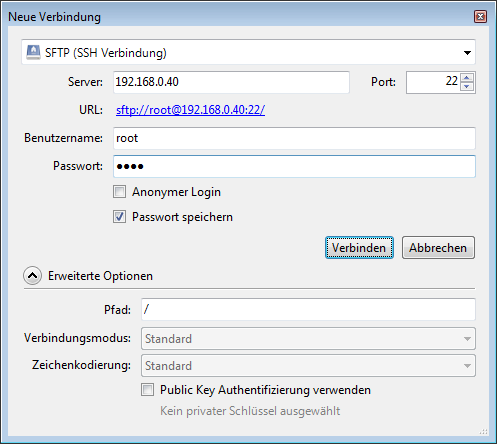
- cyberduck1.png (15.2 KiB) Viewed 1672 times
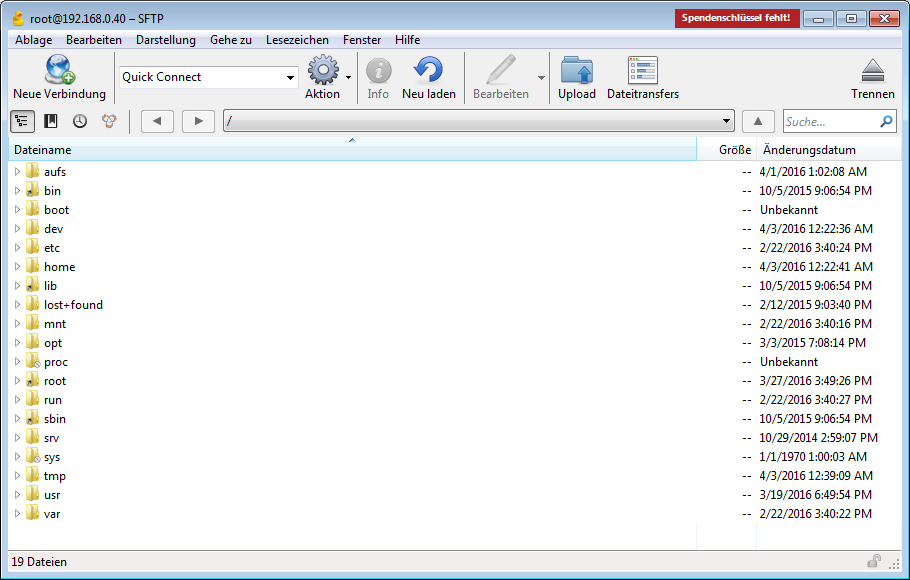
- cyberduck2.png (61.15 KiB) Viewed 1672 times
Frank
