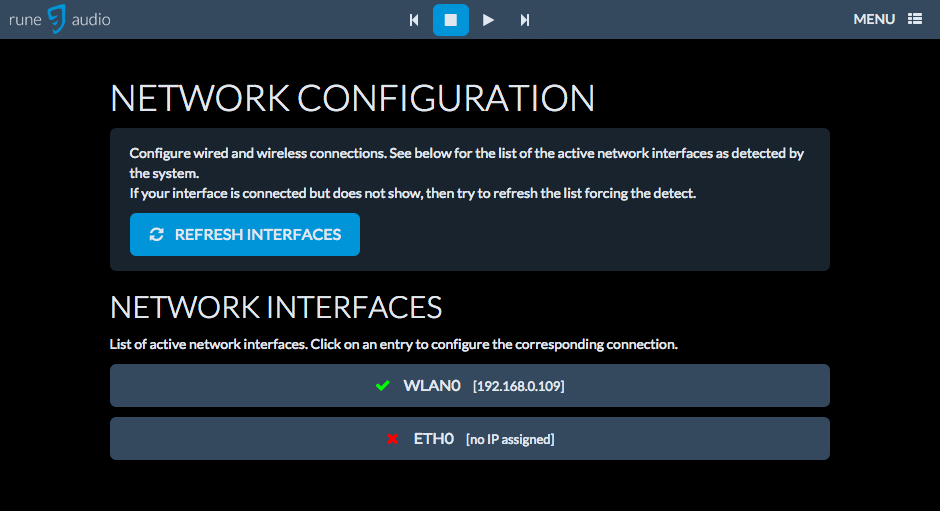
silvrr wroteAs you said you could see your wifi network I assume that your Wifi dongle is installed and working properly. Is your wifi password protected? And is your wifi dongle indicating that it is active (led flashing/blinking) on reboot? If so is your Wifi listed on the network page with a green check next to it after setup like below?
You can also check if RuneAudio is connected by logging into your router and checking if RuneAudio is listed as an attached device.
Once I unplug the ethernet then I have no way of seeing if the wifi is connected as I can't access it. The dongle appears to be fine as when connected via ethernet, I connected to wifi and entered the password OK, bu it isn't flashing on reboot.
popov wroteHi
For Eth you don't have to do anything
For wan don't forget, you have to save the configuration. May not works at all attents .... Firefox looks to be a best choisir to configur wlan.
Configur Both, restart you should have 2 ip
if works in First location, not in second... You may try 2a power supply ... Or just because dongle is less sensible
I'll check again to see if the config has saved properly, although I'm pretty sure I tested it OK