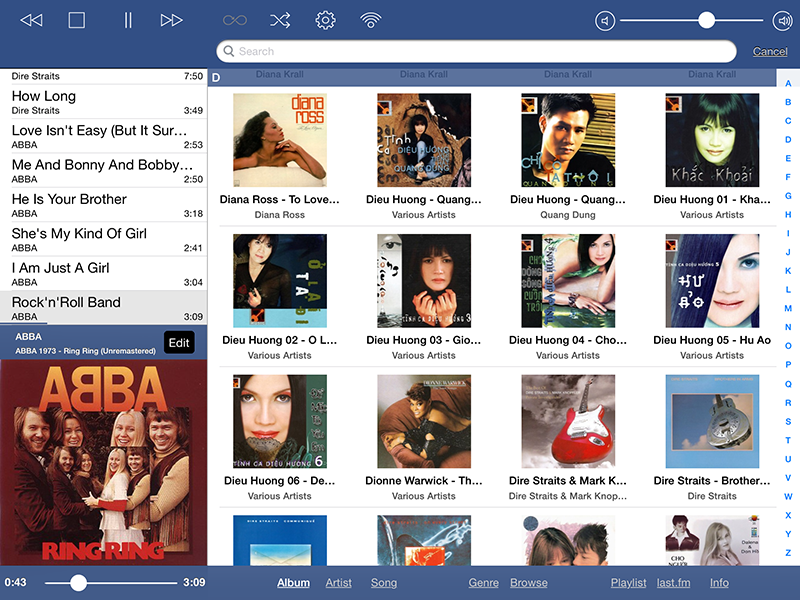
Well, I found a quick and dirty way to get the Album Cover work, so thought I would post it, JUST in case it helps someone else.
-----
ssh
root@ip.address.of.the.pi (In my case, it would be: ssh pi@192.168.1.13)
The password is « rune ». Now you can control your player’s OS!
« /var/www/ » folder is RuneAudio’s HTTP server’s root folder. This means, for instance, that « runeaudio.local/folder/image.jpg » displays the image called « image.jpg » in the « /var/www/folder/ » folder.
We will thus create a subfolder that gathers all the album’s cover. Since these pictures are already stored in every album’s folder, we just need to add a soft link (or shortcut) of the music folder to the « www » folder
Type on Pi (SSH):
ln -s /mnt/MPD /var/www/covers
On Mpod, we only need to specify the folder’s URL in the settings:
•Click on « Advanced » in the configured players section
•Select « Local Cover Art » (I also disabled Amazon & co’s covers)
•Set the URL:
http://runeaudio.local/covers (or:
http://192.168.1.13/covers)
•Set the cover Filename: [Your picture name] (e.g: folder.jpg)
•Save and restart Mpod
If needed, in the settings of the app, you can clear the covers’ cache and reload them all.
------------
Hope this helps!