Here is a little guide on how to collect some debug informations of your configuration.
This report is very important to allow us to support you.
1) With your web browser, go to
http://runeaudio/dev.php or [url]http://<your-device-IP>/dev.php[/url]
From
Debug level menu, select
defcon [2] (sys+MPD+PHP) debug level.
Set
Hide debug informations to
OFF .
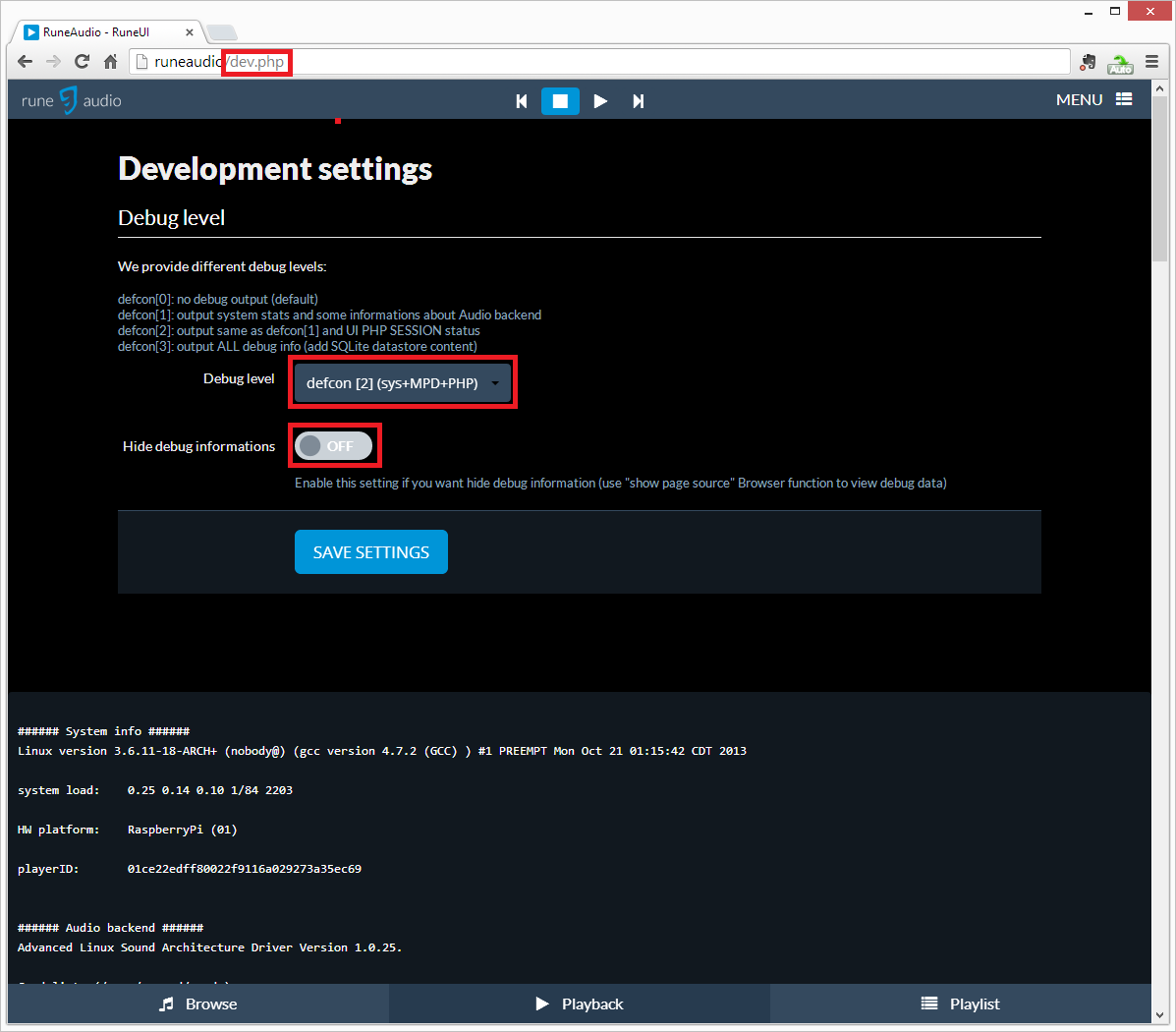
- dev_php.png (55.36 KiB) Viewed 8737 times
2) Scroll down page, you will see some debug informations.
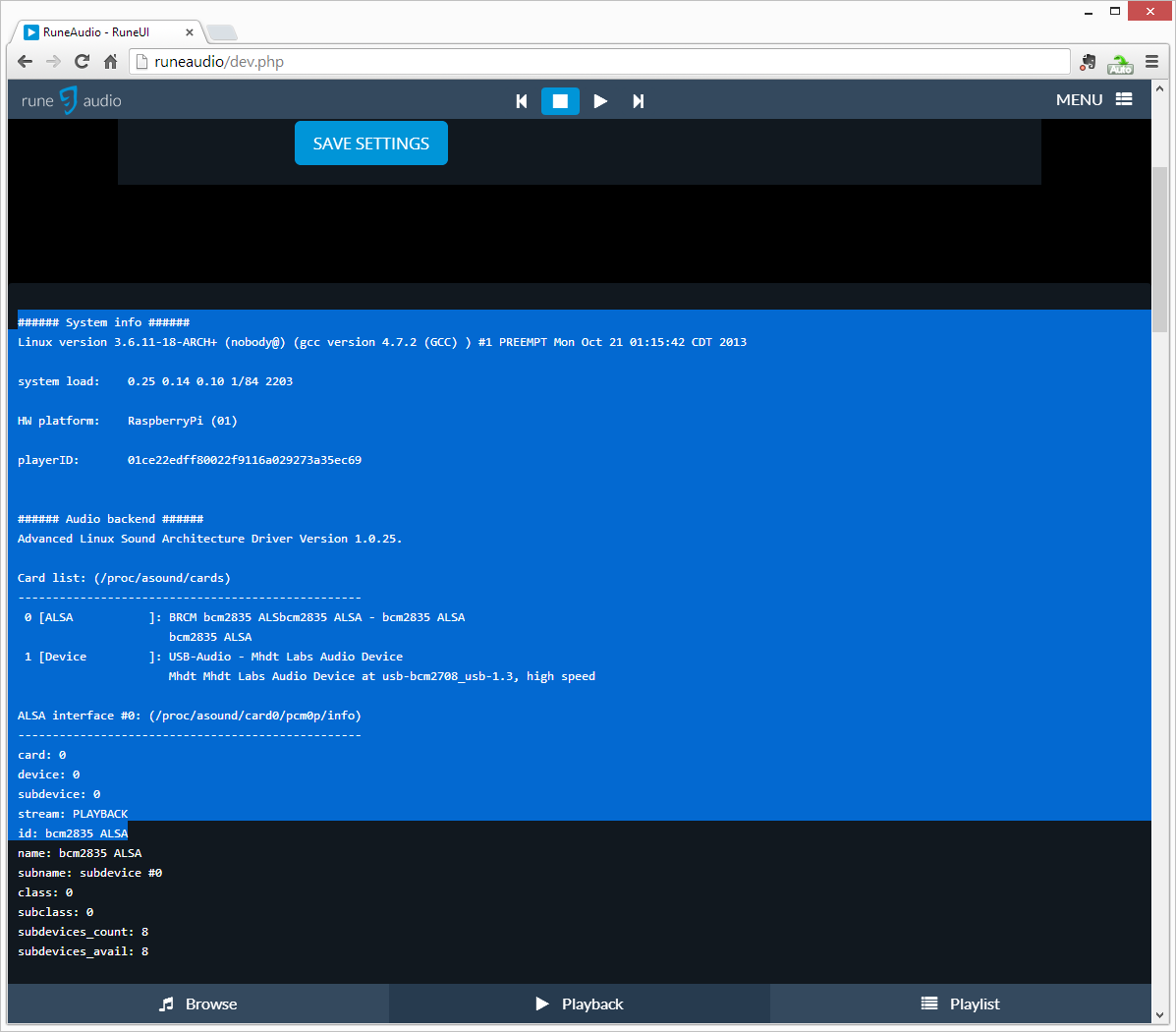
- debug_info.png (50.97 KiB) Viewed 8737 times
Select them as shown in the screenshot, copy them and paste on your forum post, between "Code" tags. Result should be like this:
Array
(
[orionprofile] => OrionV2
[save] => save
)
1
###### System info ######
Linux version 3.6.11-18-ARCH+ (nobody@) (gcc version 4.7.2 (GCC) ) #1 PREEMPT Mon Oct 21 01:15:42 CDT 2013
system load: 0.49 0.23 0.20 1/90 1727
HW platform: RaspberryPi (01)
...
It will help us to understand where problems come from and give better support.
